Native iOS · Powered by APNs

Alerts that reach
you instantly.

Point any webhook, script, or API at Alertly. Get a push notification on your iPhone the moment it matters. No polling. No email chains. Just the alert.
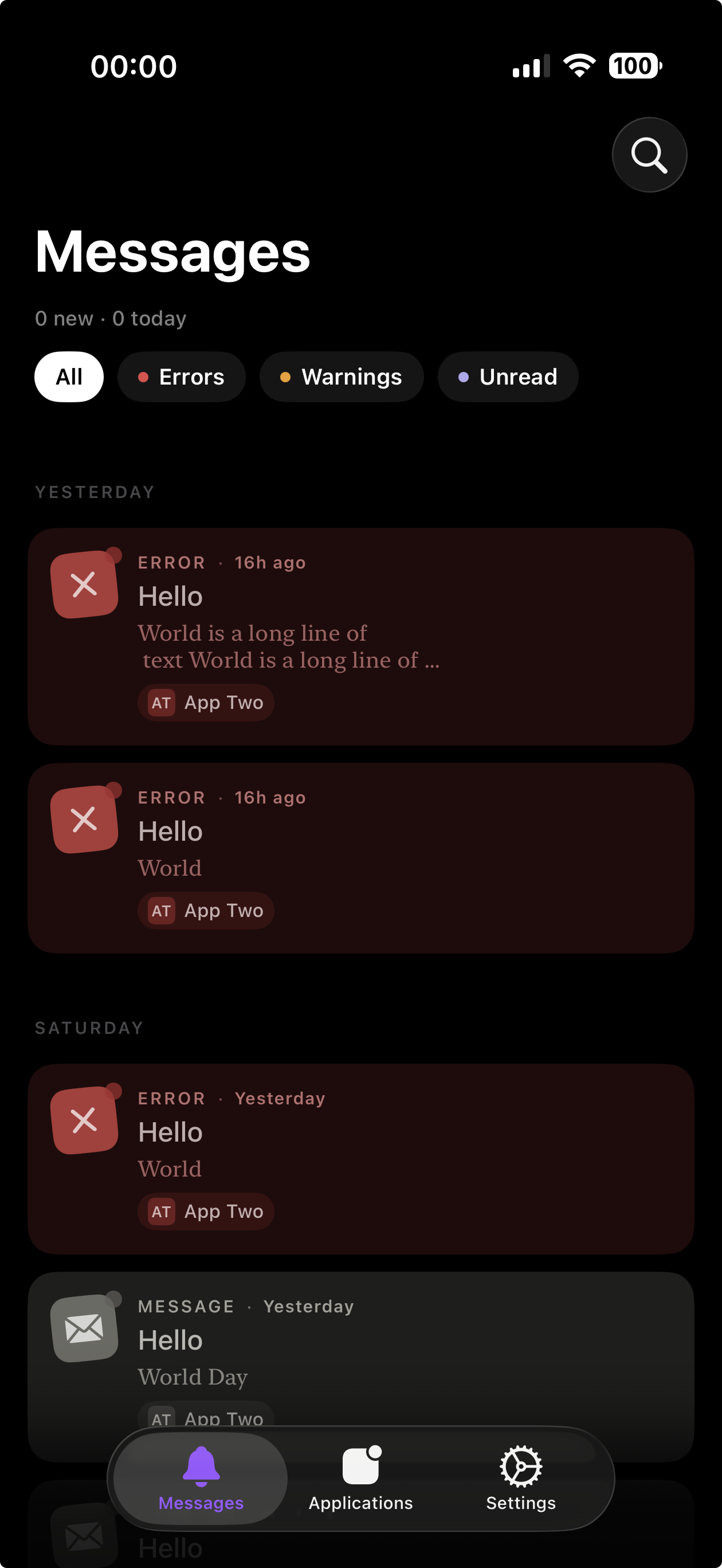
Alertly Messages screen showing recent error and message alerts

Features

Everything you need.
Nothing you don't.

Instant delivery

Apple Push Notification service delivers your alerts in milliseconds. No middlemen, no delays.

Multiple applications

Create separate channels for CI/CD, server monitoring, home automation, or anything else. Organized and distinct.

Webhook & API-driven

One HTTPS endpoint. Send from curl, Python, GitHub Actions, n8n, Zapier — anything with HTTP.

Native SwiftUI app

Designed for iOS from the ground up. Fast, focused, and exactly where your notifications already live.

Privacy-first

Your alerts go to your phone. No tracking, no analytics resale, no third-party ad networks touching your data.

Pro tier for power users

Unlimited applications, unlimited messages. One subscription, no surprises.

How it works

Up and running in minutes.

1

Install the app

Download Alertly from the App Store, sign in with Apple — no email, no password — and grant notification permissions.

2

Create an application

Name your alert source — "CI/CD", "Home Server", "Uptime Monitor". Each application gets its own API key and endpoint.

3

Send alerts via webhook

POST to your endpoint with a title and body. The alert lands on your phone before you've switched tabs.

API

One request. One notification.

Point any tool that speaks HTTPS at your Alertly endpoint.

terminal replace YOUR_APP_TOKEN with your application's token
curl -X POST https://alertly.events/messages \
  -H "Authorization: Bearer YOUR_APP_TOKEN" \
  -H "Content-Type: application/json" \
  -d '{
       "title":     "Deploy succeeded",
       "message":   "Production deploy finished in 43s",
       "status":    "success",
       "url":       "https://your-app.example.com/deploys/latest",
       "url_title": "View deploy"
     }'

# 200 OK
{ "status": 1, "request": "f3a9e1d2-6c1b-4d2a-9f1e-2c8a4d3b7e5f" }

Works with GitHub Actions, Python, n8n, Zapier, Shortcuts — anything with HTTP.

Request fields POST /messages · application/json
Field Type Required Description
message string yes Body of the notification.
title string no Bold heading shown above the message.
status string no One of info, success, warning, error. Drives the badge colour.
url string no Optional URL opened when the message is tapped.
url_title string no Label for the link button. Ignored if url is omitted.
timestamp integer no Unix epoch seconds. Defaults to the time the request is received.
Authenticate with Authorization: Bearer YOUR_APP_TOKEN — one token per application.

Pricing

Simple. Honest. Yours.

Free

£0

Forever. No credit card.

  • 3 applications
  • 300 messages / month
  • APNs delivery
  • Sign in with Apple
Get started free

Pro

£9.99/mo

Billed monthly via App Store.

Popular
  • Unlimited applications
  • Unlimited messages
  • Higher rate limits
  • Multi-device support
  • Priority support
Upgrade to Pro

FAQ

Questions, answered.

What is Alertly?
Alertly is an iPhone app that lets you send push notifications to yourself (or your team) via a simple HTTPS API. Think of it as a programmable notification channel — point any script, CI job, or webhook at your endpoint and get an alert directly in your notification center.
Do I need coding skills to use Alertly?
Not necessarily. If you can paste a URL into a tool like Zapier, IFTTT, or Apple Shortcuts, you can send alerts without writing a single line of code. For developers, the API is a simple JSON POST — no SDKs required.
How is Alertly different from email or Slack notifications?
Email gets buried. Slack requires an account and a workspace. Alertly pushes directly to your iPhone's notification system via APNs — the same path Apple uses for iMessages. It's immediate, separate, and yours to control.
What data do you store?
We store your account credentials, application metadata, and APNs device tokens necessary to route alerts to your phone. Alert payload content is not stored after delivery. We don't sell your data or show you ads.
How do you identify me?
Sign in with Apple. We don't ask for your email or store a password. Your Apple ID gives us a stable anonymous identifier that lets you sign back in on any device without losing your configuration.
What happens to my message history?
Messages are stored on your device. Alertly doesn't back them up to a server or iCloud, so you control what sticks around. Deleting a message removes it from your phone immediately, and uninstalling the app clears all history.
Can you read my notifications?
Messages pass through our server briefly on their way to APNs. Once your iPhone has downloaded them, the server deletes its copy. We don't analyze, log, or share notification content.
Can I cancel Pro at any time?
Yes. Pro is managed through your Apple ID subscription settings. Cancel any time from Settings → Apple ID → Subscriptions. You'll keep Pro access until the end of your billing period, then revert to the free tier.